Guest pass
A warm welcome.
Within visiting hours.
- 11 AM–1 PM and 5 PM–7 PM
- One entry and one exit per pass
- No OT, ICU or Critical room access
Sent twice daily via WhatsApp or issued at reception.
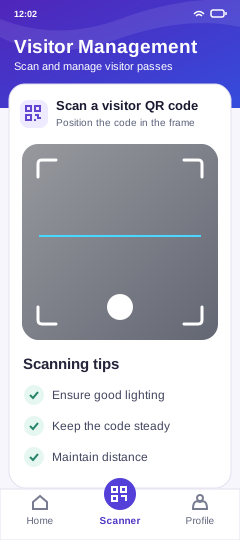
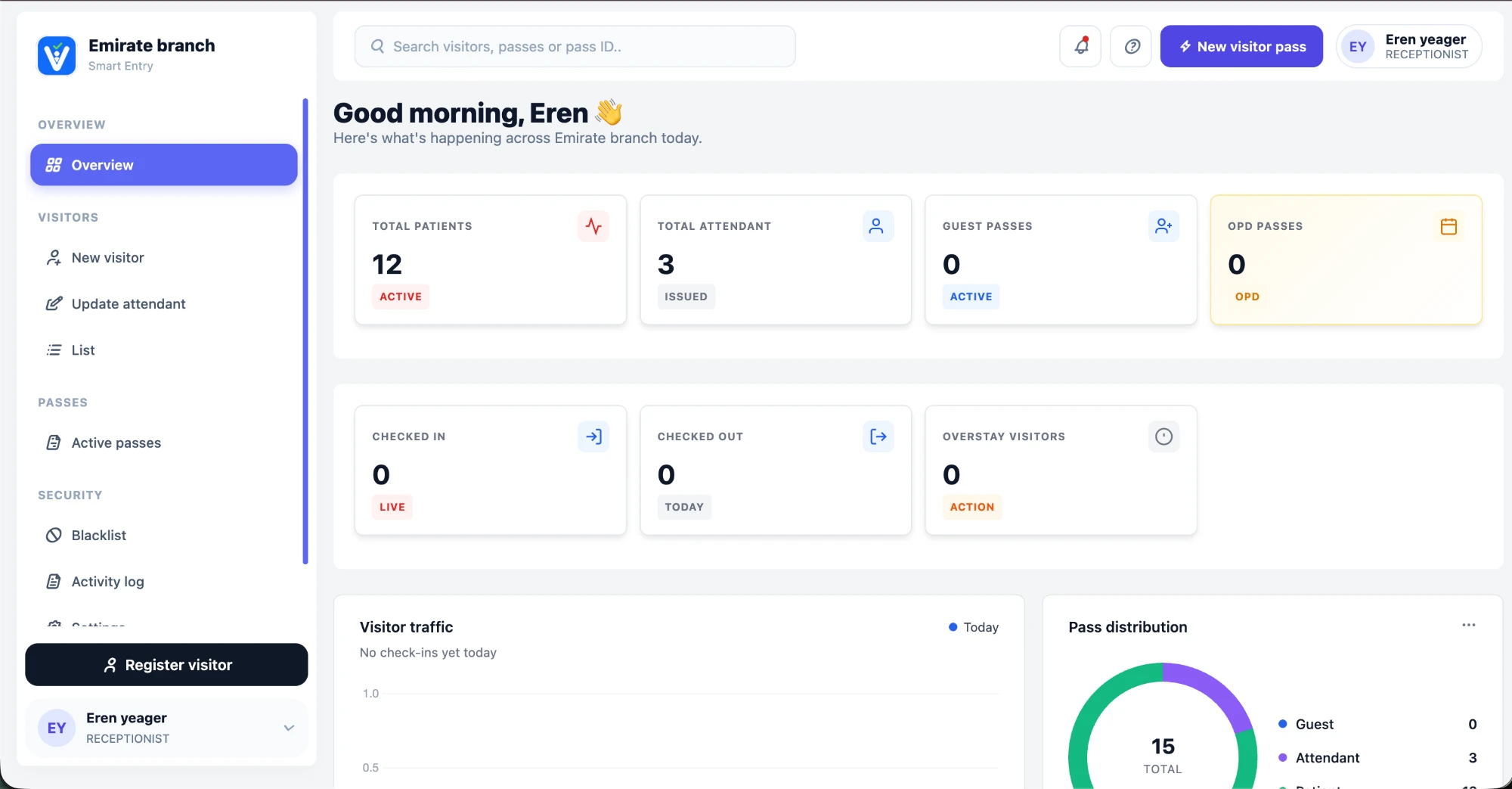
Reception issues passes on the web. Guards verify them in the Vistfy Android app. Hospital teams see who has arrived and who has left.
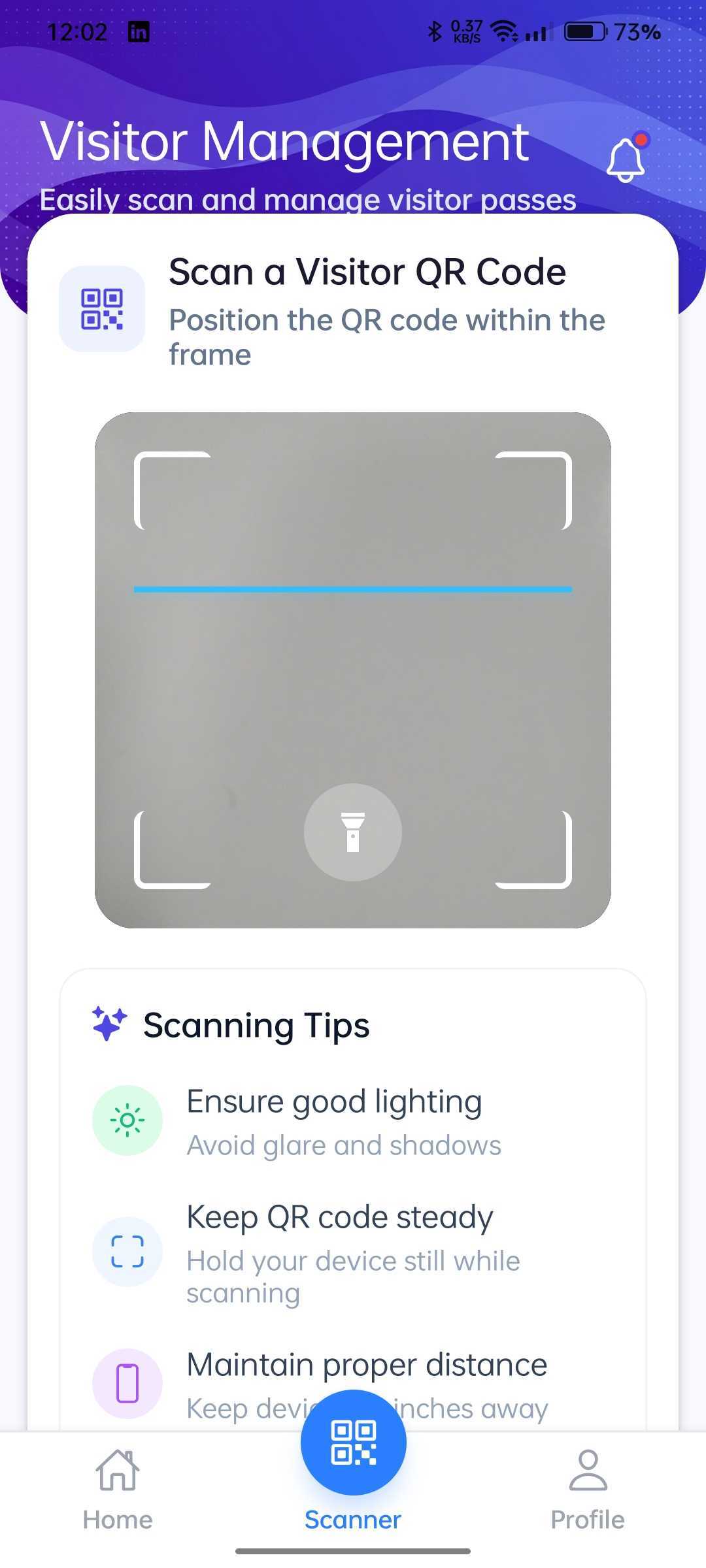
The guard scans the QR code. Vistfy checks the pass and guest hours. The guard then confirms check-in.
Confirmed entries appear in the hospital’s check-in count. Reception can review arrivals, departures and overstay alerts.

Pass types
Clear access rules for guests, attendants, and OPD visitors.
A warm welcome.
Within visiting hours.
Sent twice daily via WhatsApp or issued at reception.
Close to the patient.
Clear on access.
Created via the hospital API and sent via WhatsApp at admission.
Four hours.
One outpatient visit.
Issued by reception through the Vistfy website.
Automated pass distribution
An admission in your hospital system triggers an attendant pass through the API. Vistfy sends the pass on WhatsApp and schedules guest passes before visiting hours.

Attendant pass sent via WhatsApp
Two guest passes per attendant
Two guest passes per attendant
Staff can create guest and OPD passes on the Vistfy website.
How Vistfy works
From creating a pass to recording the final exit.
The QR pass is ready to share.
The visitor brings their pass on their phone.
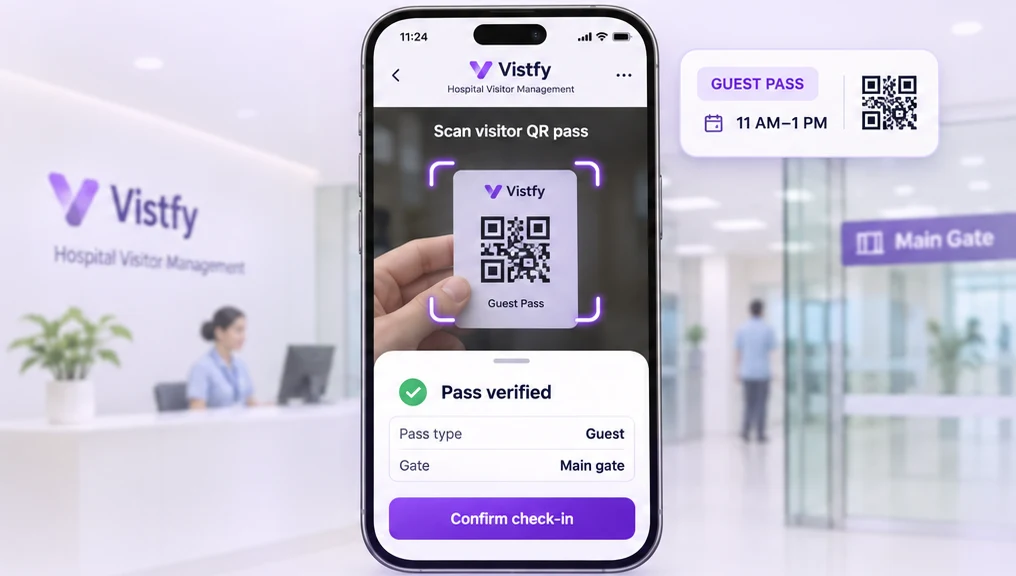
Entry is recorded after staff confirmation.
Entry and exit appear together in the visit log.
Live operations
A live view of every visit across your hospital, from check-ins and admissions to overstay alerts and expired passes.
Explore the dashboard ↗Visitor operations across your hospital
| Visitor | Destination | Pass type | Entry | Status |
|---|---|---|---|---|
| AKAvery K. | Outpatient | OPD | 09:12 | Checked out 10:06 |
| JLJordan L. | Ward B | Guest | 09:36 | On site |
| SMSam M. | Ward A · Main gate | Guest · 0417 | 11:05 | On site |
Team access
Passes go out automatically or from reception, guards confirm visits, and administrators review activity. Reviewers can search visit records with read-only access.
Attendant passes are created when a patient is admitted, and guest passes are sent on WhatsApp before visiting hours. Reception can still issue OPD and walk-in passes.

Scan the visitor’s QR code at the gate. Vistfy checks visiting hours, room limits and pass expiry before the guard confirms entry.

Review visit logs and reports, manage visitor restrictions, and monitor activity across the hospital dashboard.

Search by name, pass ID or mobile number to review a visitor’s complete entry and exit history with read-only access.
Common questions
Find answers about sending passes, scanning at the gate, reviewing records, and arranging a demo.
For hospitals connected to their admission system, yes. When a patient is admitted, Vistfy creates the attendant pass and sends it to the attendant on WhatsApp via the open API. Guest passes for visiting hours are auto-sent at 10:45 AM and 4:45 PM every day, and reception can still issue or resend a pass at any time.
Reception shares the digital QR pass through WhatsApp after registration. The visitor arrives at the gate with the pass on their phone — no printing required.
Guards use the Vistfy mobile app to verify the QR code and record check-in or check-out. The app checks pass type rules automatically — visiting hours for guest passes, daily limits for OT/ICU/Critical attendant passes, and 4-hour validity for OPD passes.
The Vistfy app shows a clear error. For a guest pass scanned outside visiting hours the app shows the allowed time window. For an attendant who has exceeded the daily limit in a restricted room, the app shows a "Today's limit is over" message. Expired passes show a clear expiry notice.
Yes. The read-only reviewer role lets a reviewer inspect the hospital's visit records, including full visit histories per pass, without being able to issue or modify anything.
Use the demo enquiry form to arrange a walkthrough for your hospital.
About us
Anayat Global Works Private Limited develops Vistfy to help hospitals keep track of who is inside, whom they came to see and when they left.
Vistfy is sold in partnership with Intellisia Technologies Pvt. Ltd., who handle sales, demos and onboarding for hospital teams.
About the company Vistfy
From reception to the main gate, Vistfy helps authorized teams scan passes, verify visits, and track entries in real time.
Available for authorized hospital staff.